
Hood Warfare 2 Beginner Guide: Your First Match
A step-by-step Hood Warfare 2 beginner guide: pick a gang, read the objective, build a loadout, practise with bots, and start earning attachments.
What should I do first in Hood Warfare 2?
Pick your gang, then read the mode objective before you leave spawn — that single habit prevents most beginner losses. Hood Warfare 2 has no tutorial, so your first match is your tutorial. Get those two steps right and you are already playing better than most new players.
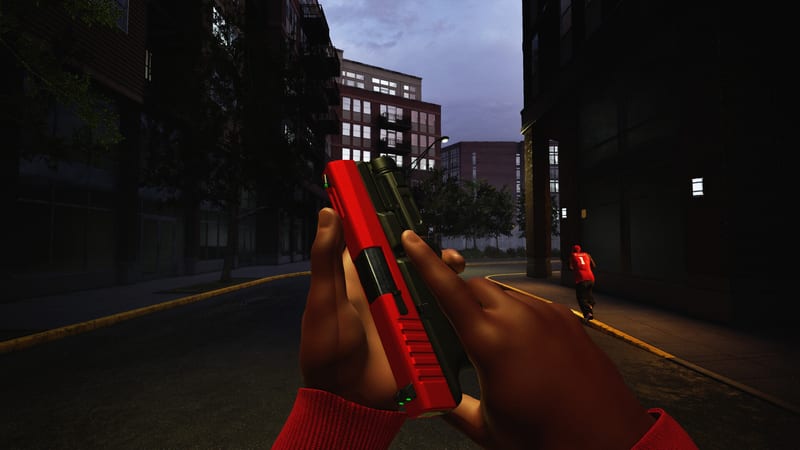
Official Hood Warfare 2 screenshot — the kind of street map you spawn into first.
Which mode should a new player start with?
Start with Turf War or GangBang. Turf War gives you a stable place to stand and learn the map, while GangBang is a straight kill race where nobody will blame you for losing an objective. Chaos is the worst starting point because there are no teammates to hide behind.
| Mode | New-player friendly? | Why |
|---|---|---|
| Turf War | Yes | You hold ground instead of hunting kills |
| GangBang | Yes | Simple scoring — most kills wins |
| Chaos | No | No teammates, every fight is a 1v1 or worse |
| Hit A Lick | Later | Bag routes take map knowledge |
| Destroy The Block | Later | One life per round punishes mistakes hard |
| Chain Snatch | Later | You have to grab chains and escape |
How do I build a first loadout?
Take one primary you actually like, an optic you can see through, and a perk that keeps you alive between fights. You can change out sights, magazines, grips, suppressors and other attachments, then pick perks and equipment before heading into a match — but changing everything at once teaches you nothing.
What do the four perks do?
The loadout offers four perks: +Speed, +HP, +Utility and +Ammo. The game only describes +Speed in text (“More speed”); the other three are named but their exact modifiers are not published anywhere in the shipped files, so try each one in a bot match and keep what feels right.
Can I practise against bots instead of players?
Yes, and you should. Hood Warfare 2 lets you set up a match against bots: choose the map, mode and match settings, then add bots to fill out both teams. This is the fastest way to learn a map’s routes without ruining anyone’s round.
How do I unlock weapons and attachments?
Build reputation by playing matches and levelling up — that unlocks more weapons and equipment. Attachments work differently: they come from per-weapon challenges, and each challenge is tracked for one gun only, so switching weapons every death throws away the progress you built.
What does a good first hour look like?
Play one bot match on every map, commit to a single weapon for ten matches, and treat weapon challenges as your real progression track. Reputation levels hand you new equipment, but the attachments that change how a gun behaves come from finishing that specific gun’s challenges.
- Run one private bot match on Downtown, Suburbs, The Trenches and Chicago Mall.
- Pick your favourite-looking gun and use nothing else for ten matches.
- Level reputation for new equipment while the weapon challenges tick up in the background.
- Only then start branching into a second weapon for a different range.
Where do I go next?
Once you know the modes and own a loadout that works, the rest of this wiki covers the detail: every gun, every attachment slot, the mode-by-mode tactics and the map pool with its mode support matrix.
Related Articles
characters
Hood Warfare 2 Operators: Darnell, DeShawn & Tyreese
Hood Warfare 2 operators explained: the three playable characters, their outfit variants, team colours, voice lines and how unlocking works.
guides
Hood Warfare 2 Bots & Private Matches: How to Play Solo
How to set up a Hood Warfare 2 private match against bots: map, mode and match settings, how bot teams fill out, and what to use it for.
guides
Hood Warfare 2 vs Hood Warfare: What Changed in 4 Years
Hood Warfare 2 against the 2023 original: engine, price, maps, modes and weapons compared, based on both games Steam listings and shipped files.
Was this helpful?
Thanks for the feedback!